Adventures with a Sailor Moon CD-ROM
A couple of years ago, I picked up this Sailor Moon disc. I think I got it from eBay.
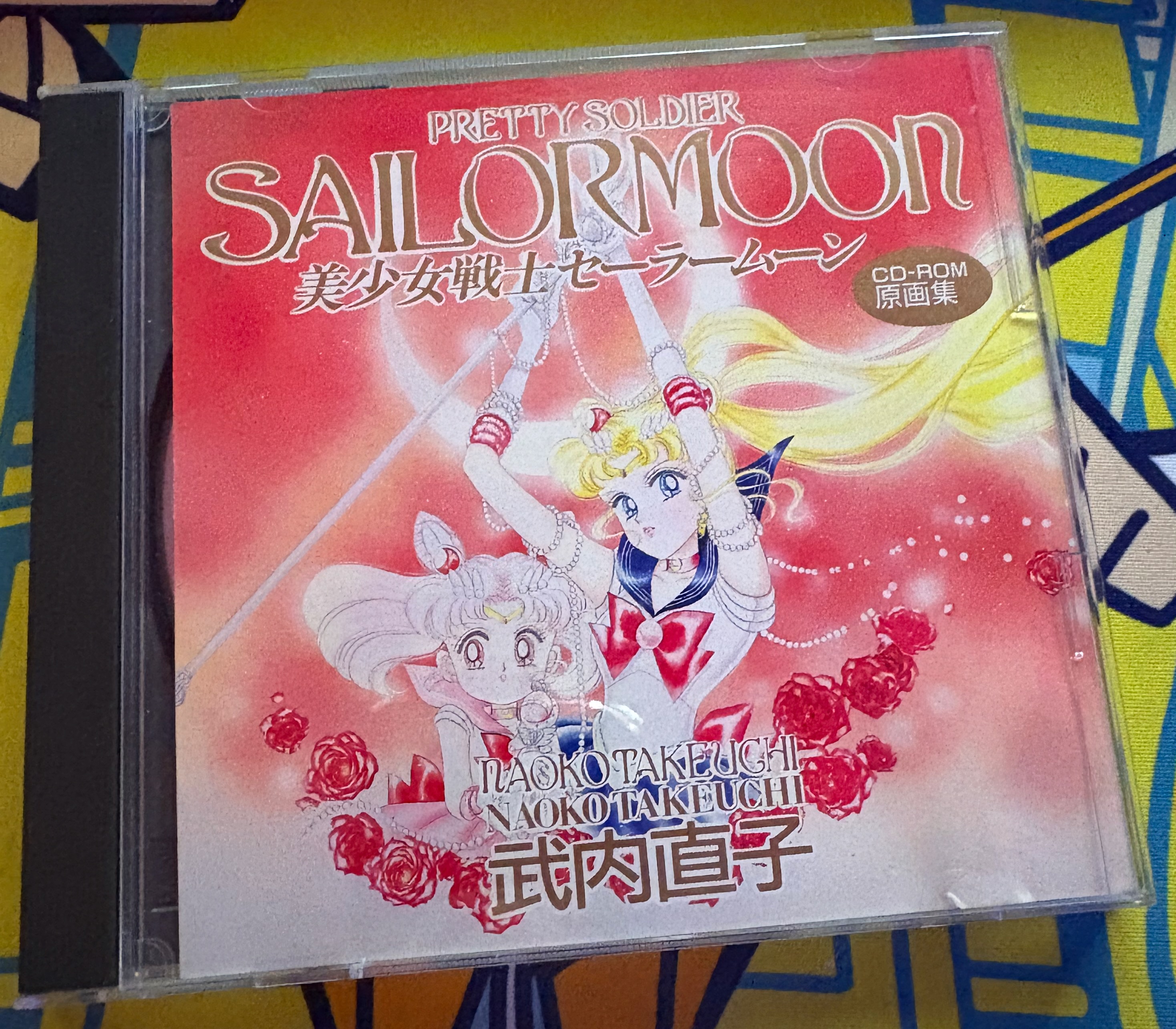
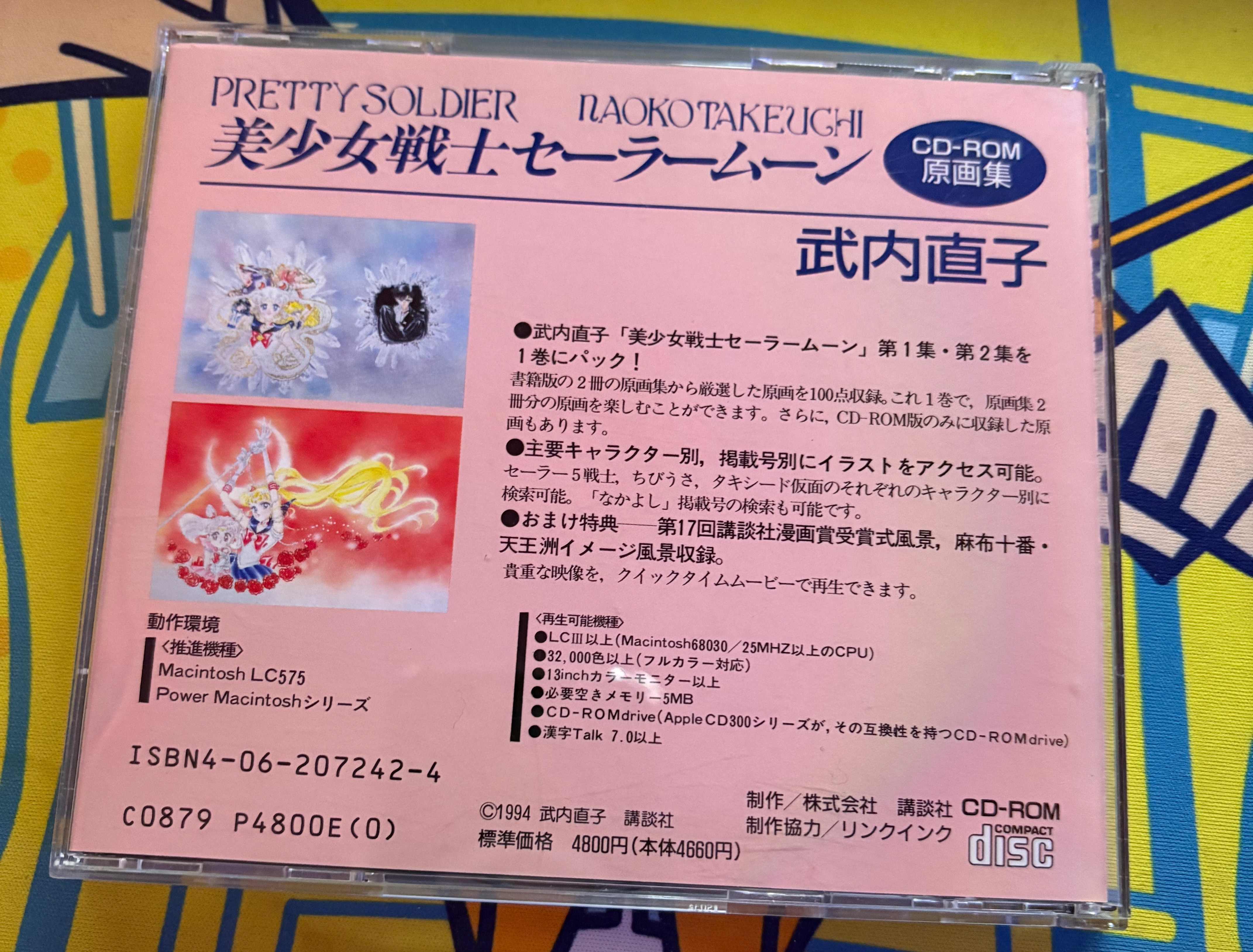
Unfortunately, I had mistaken this disc for something else. However, it turns out to be a fun little multimedia application specifically for the Macintosh. Let’s explore it and see what we can find and also what we can also do with it!
Extracting the disc
So right off the bat, my modern Mac running macOS 26 cannot read the disc when loaded from my external optical drive connected via USB C.
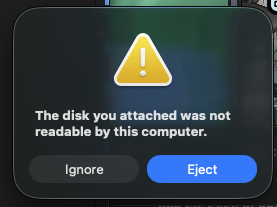
I was not able to use hdiutil to duplicate the disc into an ISO and when I tried to duplicate it using dd it would dump contents out, but it would not be seen as a proper disc.
╭─cariad@donnager ~/Local
╰─➤  file Sailormoon.iso
Sailormoon.iso: data
What is the solution? Getting the drive to be read in Basilisk II failed regardless of it being Windows or macOS, but strangely a Windows-based tool did end up working out.
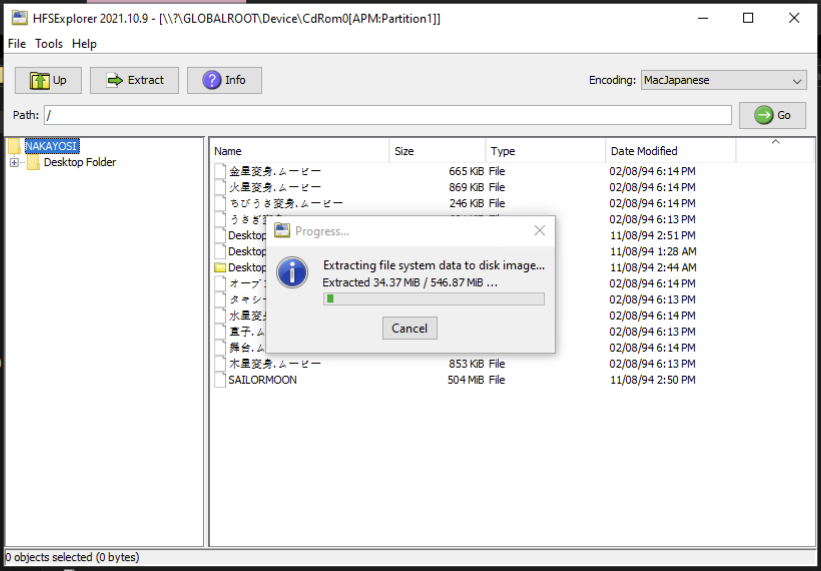
HFSExplorer could read the disc and permitted me to create a HFS disk image that I could mount in macOS.
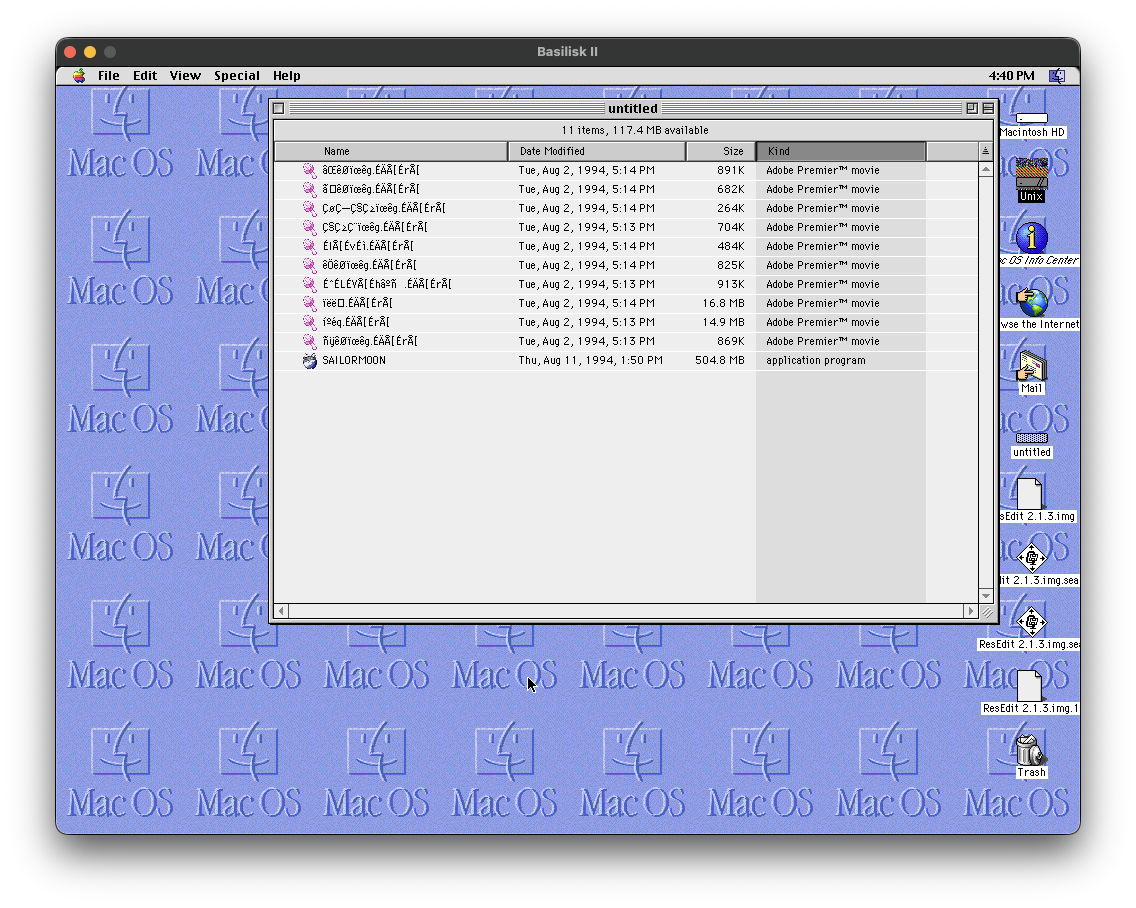
So now I have the files visible to me in a format I can use with Basilisk II.
╭─cariad@donnager ~/Local
╰─➤  file Nakayoshi.img
Nakayoshi.img: Macintosh HFS data (mounted) block size: 11264, number of blocks: -374, volume name: untitled
Let’s see what is within!
File contents
There are 11 files visible on the disc with all filenames encoded in MacJapanese. It was annoying to translate the encoding over as while Shift-JIS tools supposedly should be able to work with it, anything I threw at the names would not play nice.
Fortunately, I was able to view the intended filenames in HFS Explorer and then figure out things that way. Here are the files and what they are.
| MacJapanese | Unicode | Translation | Type of file |
|---|---|---|---|
ã‡êØïœêg.ÉÄÅ[ÉrÅ[ |
金星変身.ムービー |
Venus Transformation | Apple QuickTime movie |
âŒêØïœêg.ÉÄÅ[ÉrÅ[ |
火星変身.ムービー |
Mars Transfomration | Apple QuickTime movie |
ǧÇ≥Ǩïœêg.ÉÄÅ[ÉrÅ[ |
うさぎ変身.ムービー |
Usagi Transformation | Apple QuickTime movie |
ÇøǗǧÇ≥ïœêg.ÉÄÅ[ÉrÅ[ |
ちびうさ変身.ムービー |
Chibiusa Transformation | Apple QuickTime movie |
É^ÉLÉVÅ[Éhâºñ .ÉÄÅ[ÉrÅ[ |
タキシード仮面.ムービー |
Tuxedo Mask | Apple QuickTime movie |
ÉIÅ[ÉvÉì.ÉÄÅ[ÉrÅ[ |
オープン.ムービー |
Opening | Apple QuickTime movie |
êÖêØïœêg.ÉÄÅ[ÉrÅ[ |
水星変身.ムービー |
Mercury Transformation | Apple QuickTime movie |
ïëë‰.ÉÄÅ[ÉrÅ[ |
舞台.ムービー |
Stage | Apple QuickTime movie |
íºéq.ÉÄÅ[ÉrÅ[ |
直子.ムービー |
Naoko | Apple QuickTime movie |
ñÿêØïœêg.ÉÄÅ[ÉrÅ[ |
木星変身.ムービー |
Jupiter Transformation | Apple QuickTime movie |
SAILORMOON |
SAILORMOON |
Sailor Moon | Executable |
It’s interesting how ムービー translates to “movie” to indicate that it is a Quicktime file. This is something I am familiar with as files in HFS are treated differently than say in Linux or Windows. There are resource forks and data forks for files. The actual data of the file is in the data fork, but the resource fork indicates that why kind of data it is. You can remove .mov from a file and it will still launch in QuickTime because the resource fork says it is a QuickTime file.
That is the reason why each filename ends with .ムービー or really .ÉÄÅ[ÉrÅ[ because the resource fork is all that matters. An extension in Mac OS from this era is really a formality and is truly only required for cross-platform compatibility. Even today it barely matters as evident when taking a screenshot as while it is a PNG, it lacks the extension .png.
I think screenshots were originally .ps (PostScript) files back when Mac OS X came out, but I digress.
In any event, getting any of these videos to play nice with VLC or FFMPEG also proved to be quite annoying. The lone executable is actually most interesting: it’s a container for a Macromedia Shockwave file.
ScummVM cannot execute it
Since it was written with Macromedia Director 3, it should be supported by ScummVM right? Support for the format has been around for a few years now, so I figured that I’d give it a go.
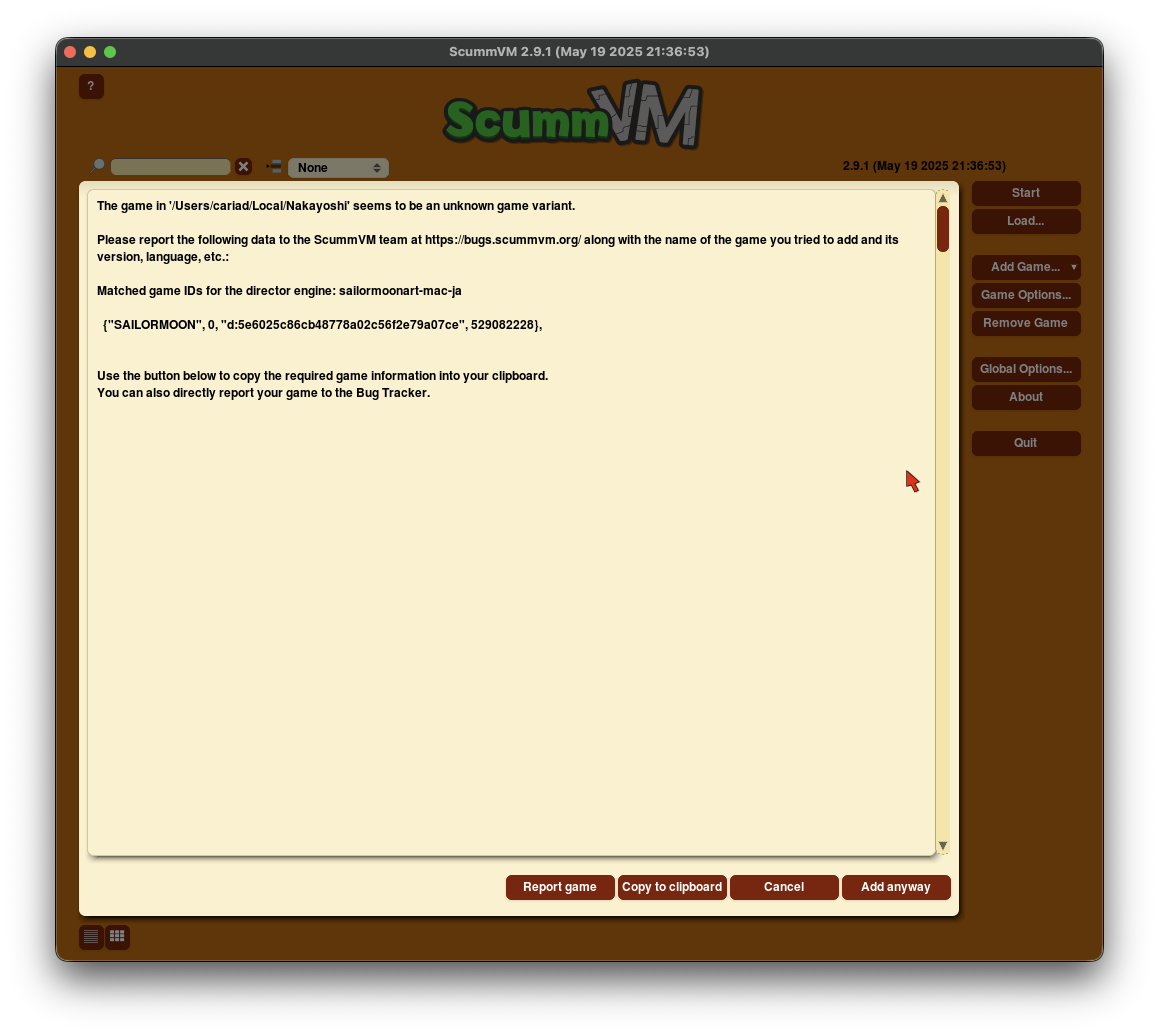
It does permit me to go further than this, but when I attempt to load it, it goes into a loop where it restarts. This is something which has been reported by a friend of mine when I lent the disc to her and she came across the problem.
I’m not up for going down this rabbit hole so I have a different idea instead.
Extracting the Director data
Using ProjectorRays, I figured I could just decompile it all down to its constituent parts.
C:\Users\Cariad\Documents\Nakayoshi>c:\Users\Cariad\Downloads\projectorrays-0.2.0.exe decompile -v SAILORMOON
Codec unsupported: APPL
However, it ended up failing because the file was made for Macintosh System and this tool doesn’t know what an APPL binary is–it probably expects to see PE.
But luck would have it that another tool, director-files-extract would work with Macintosh files and so I was left with a bunch of files ending with the .dxr extension.
╭─cariad@donnager ~/Local/Nakayoshi/SAILORMOON
╰─➤  ls -la
total 1033472
drwxr-xr-x@ 26 cariad  staff        832 Dec 29 09:18 .
drwxr-xr-x@ 20 cariad  staff        640 Dec 29 14:52 ..
-rw-r--r--@  1 cariad  staff       8196 Dec 29 09:18 .DS_Store
-rw-r--r--@  1 cariad  staff    2211836 Dec 29 09:04 .DXR
-rw-r--r--@  1 cariad  staff   52641070 Dec 29 09:04 Shared.dxr
-rw-r--r--@  1 cariad  staff    2616890 Dec 29 09:04 SM_.DXR
-rw-r--r--@  1 cariad  staff    2398300 Dec 29 09:04 SM.DXR
-rw-r--r--@  1 cariad  staff    1354790 Dec 29 09:04 SM.DXR_1
-rw-r--r--@  1 cariad  staff    4744824 Dec 29 09:04 SM.DXR_2
-rw-r--r--@  1 cariad  staff    2338738 Dec 29 09:04 SM.DXR_3
-rw-r--r--@  1 cariad  staff    1836318 Dec 29 09:04 SM.DXR_4
-rw-r--r--@  1 cariad  staff    1323160 Dec 29 09:04 SM.DXR_5
-rw-r--r--@  1 cariad  staff  132493868 Dec 29 09:04 SMAUT.DXR
-rw-r--r--@  1 cariad  staff    1631360 Dec 29 09:04 SMC.DXR
-rw-r--r--@  1 cariad  staff   15188776 Dec 29 09:04 SMCHIB.DXR
-rw-r--r--@  1 cariad  staff    1836008 Dec 29 09:04 SMJUP.DXR
-rw-r--r--@  1 cariad  staff   49982622 Dec 29 09:04 SMJUPITE.DXR
-rw-r--r--@  1 cariad  staff    2812764 Dec 29 09:04 SMM.DXR
-rw-r--r--@  1 cariad  staff   17363390 Dec 29 09:04 SMMAM.DXR
-rw-r--r--@  1 cariad  staff   32296774 Dec 29 09:04 SMMAR.DXR
-rw-r--r--@  1 cariad  staff    2032030 Dec 29 09:04 SMMER.DXR
-rw-r--r--@  1 cariad  staff   30326954 Dec 29 09:04 SMMERCUR.DXR
-rw-r--r--@  1 cariad  staff   49514662 Dec 29 09:04 SMMONT.DXR
-rw-r--r--@  1 cariad  staff   90767138 Dec 29 09:04 SMMOO.DXR
-rw-r--r--@  1 cariad  staff    1847186 Dec 29 09:04 SMV.DXR
-rw-r--r--@  1 cariad  staff   29520352 Dec 29 09:04 SMVENU.DXR
One little catch with the files above, a number of files ended up with an * (asterisk) in each which proved to be a problem when I moved on so I removed it from all the files. HFS permits any character in a filename save for : and / (the latter more of an issue with HFS+), which means moving the files out into a Windows application later as I needed to would never work.
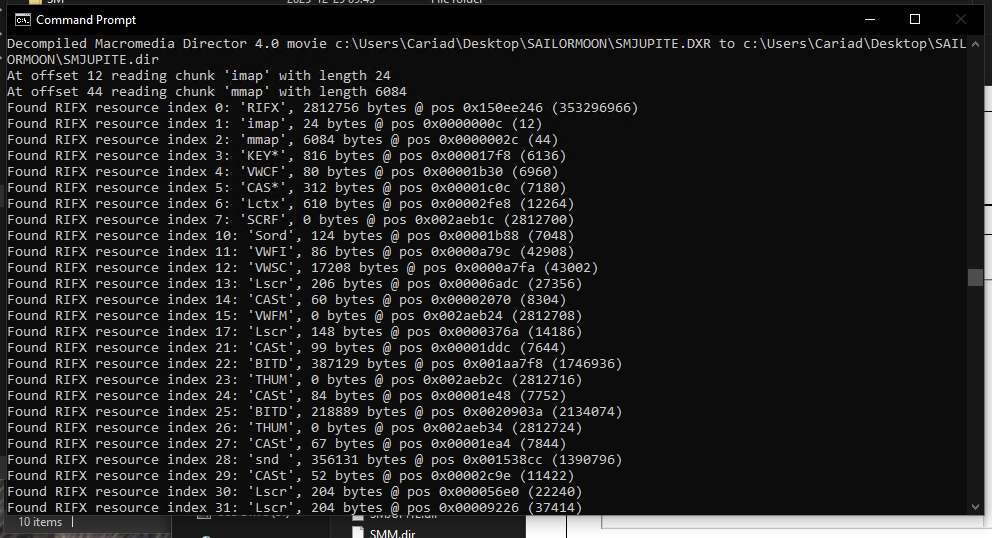
DXR files by themselves cannot be opened with Macromedia Director, but they can be decompiled. The aforementioned ProjectorRays tool has a decompile function which will permit me to open everything.
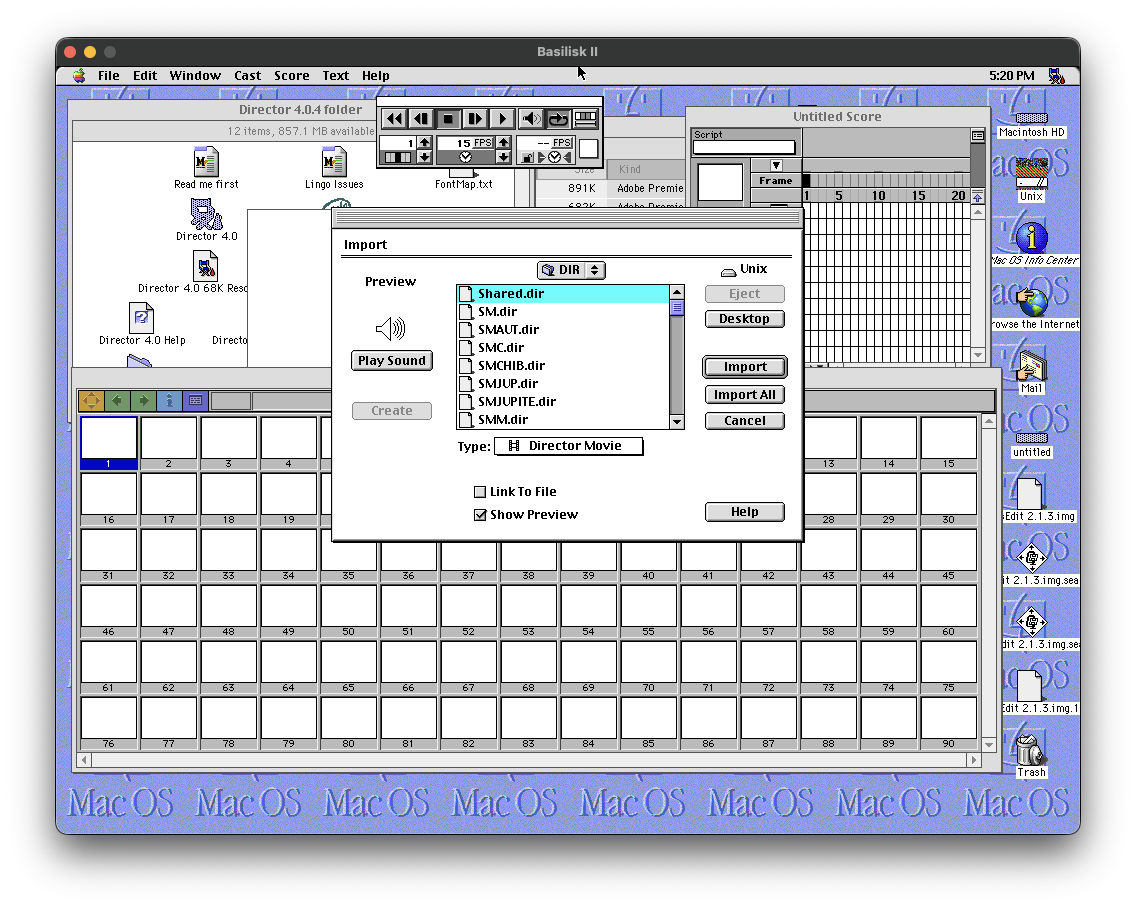
Great. After decompiling and bring them over to Basilisk II, the files are visible to the software.
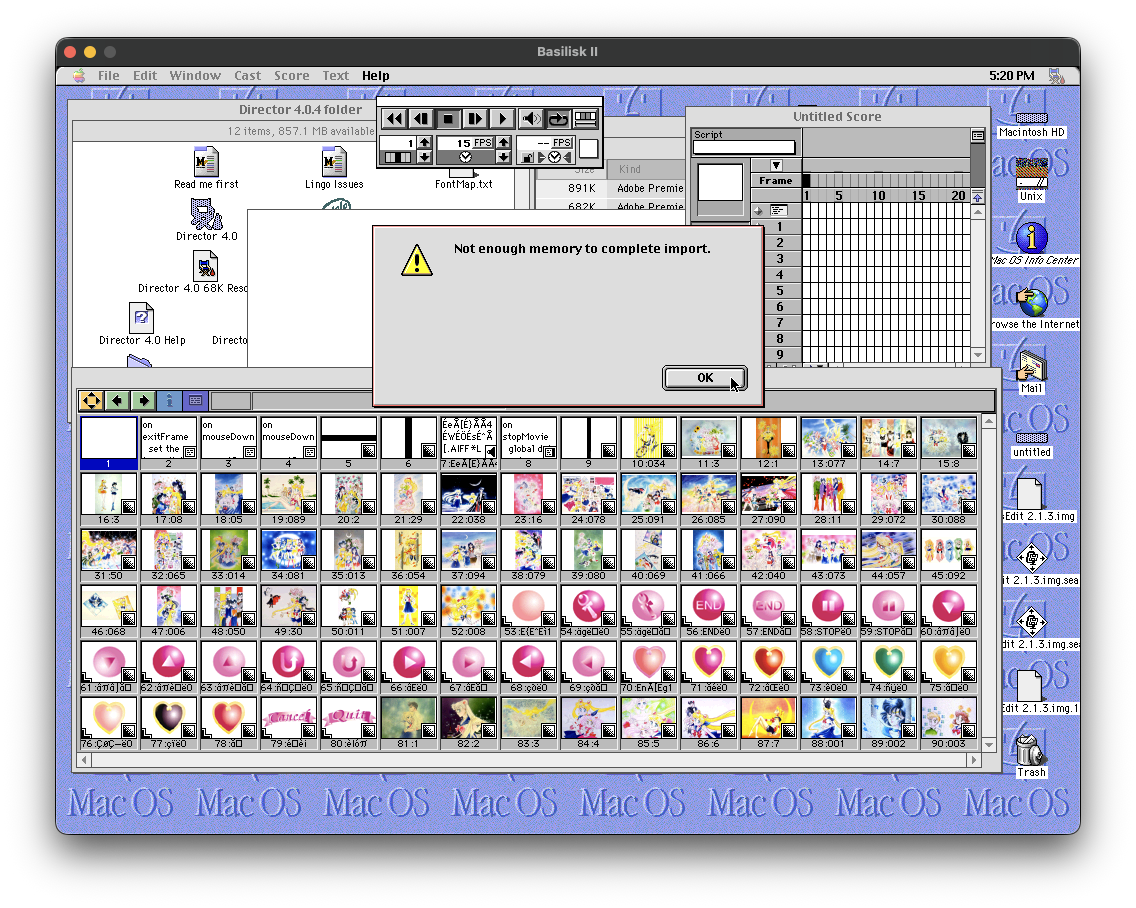
Man. I forgot about how miserable old Mac OS was–memory management then was a huge chore and is a consequence of the weak (and “weak” is really not saying much) multitasking that existed in this operating system. In any event, these are now readable Director files. However, I could not figure out how to get the data into readable files so another tool to the rescue.
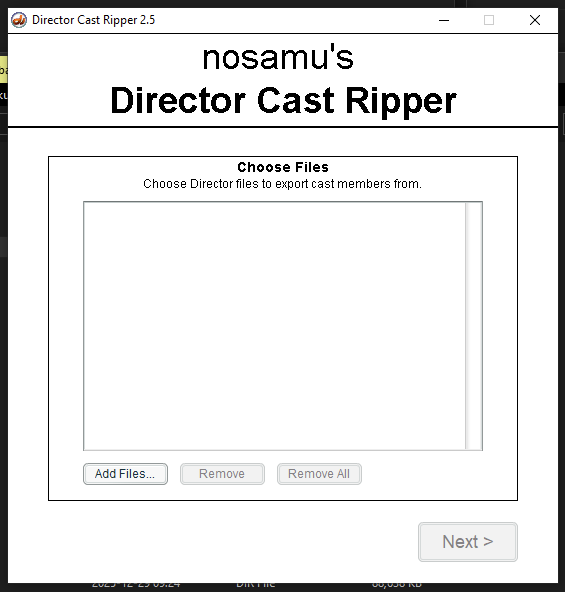
The same developer who created the tool to rip the DXR files out also created a tool to extract the content from within called Director Cast Ripper. I now have all of the audio and images extracted from it! I even have the scripts copied over although I don’t intend to do anything with them.
Success with images
After getting the tools to all play nice, I finally had a directory full of images which were both in .PNG and .BMP formats. I only care about PNG files really, so let’s count them.
╭─cariad@donnager ~/Local/Nakayoshi/Extract/Exports
╰─➤  find . -type f -name "*.png" | wc -l
     766
At 766 results, it might seem like many, but I wonder if there were a lot of duplicates so I decided to just do a simple MD5 over all of them to get an actual unique count.
╭─cariad@donnager ~/Local/Nakayoshi/Extract/Exports
╰─➤  find . -type f -name "*.png" -exec md5sum {} \; | awk '{print $1}' | uniq | wc -l
     766
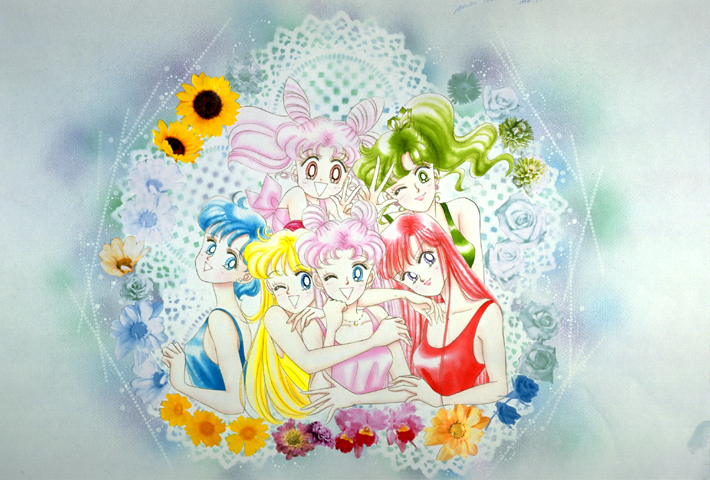
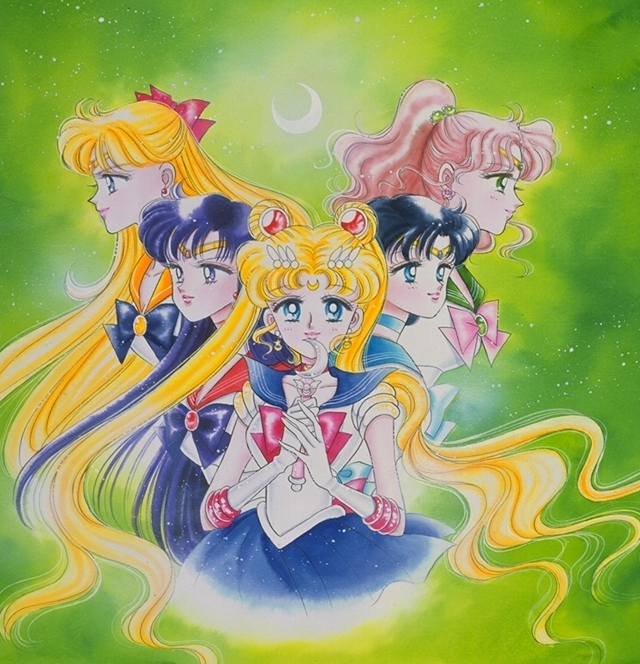
Apparently not! That is a pretty decent haul of images for a 1994 collection of images from a manga that had only been out for a few years. Some of them are buttons for the interactive portion of the disc, but other than the majority is the really good stuff!
And they’re fairly decent resolution for the time with some of the images being 1024x768 or thereabouts depending on orientation and scale. Here are a few examples:

Frustration over video
So earlier I mentioned that there are ten videos that are supposedly QuickTime movie files. They’re all playable from Mac OS 8 when running in Basilisk II.
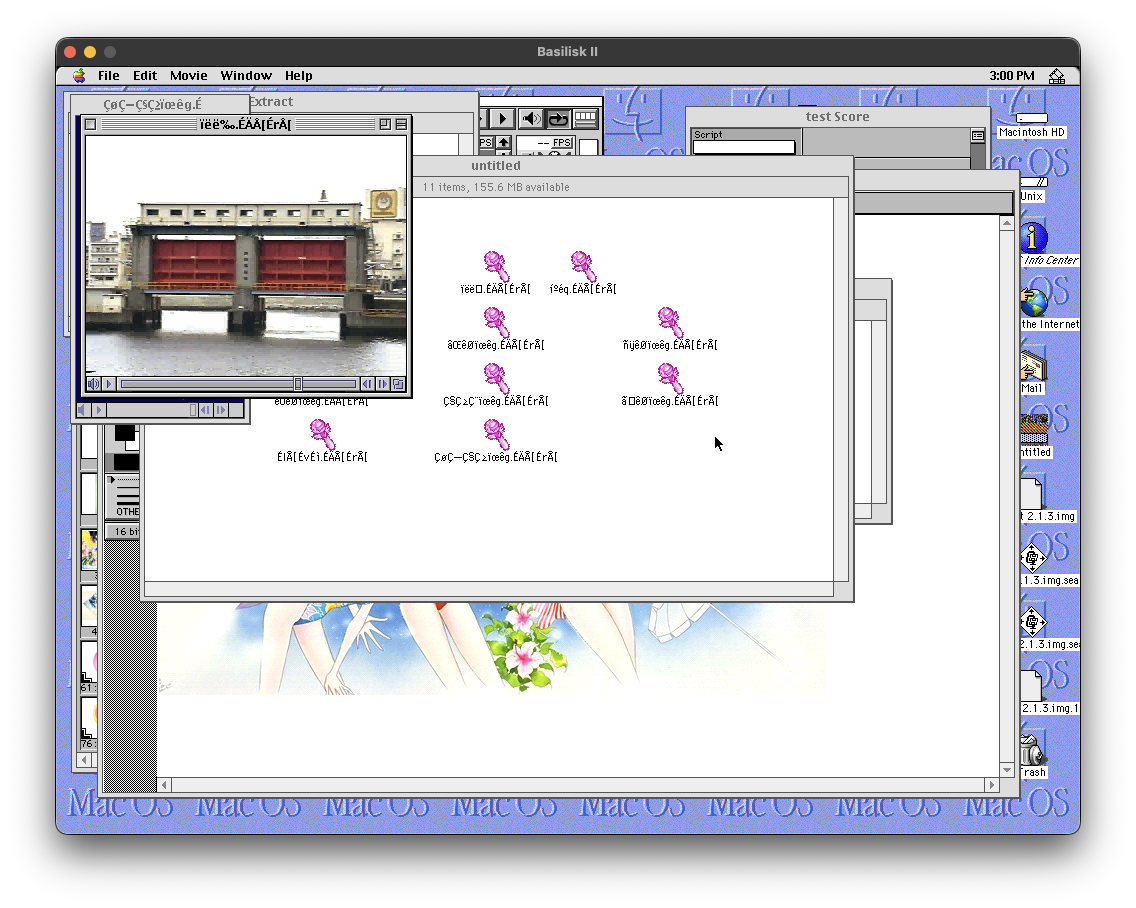
macOS sees them in that format and the file command in the terminal spits out Apple QuickTime movie (unoptimized) so you’d think that I could play them. Well, apparently not.

Also one of files is also reported as DIY-Thermocam raw data so maybe I should not put too much weight into the output of the file command in the end.
In any event, QuickTime, VLC, and IINA all refuse to play the videos despite them working just fine when playing it in the actual application under Basilisk II. Older QuickTime files tend to struggle under newer Macs and apparently I am not alone with this problem as evident by a post from the Apple discussions site.
In this person’s case, it was a capture from a VHS tape on some mid-1990s Macintosh clone. It looks pretty dire getting it to work on anything made earlier I wager.
Maybe FFmpeg can shed some light on these files?
╭─cariad@donnager ~/Local/Nakayoshi
╰─➤  ffmpeg -i VenusTransformation.mov
ffmpeg version 8.0.1 Copyright (c) 2000-2025 the FFmpeg developers
  built with Apple clang version 17.0.0 (clang-1700.4.4.1)
  configuration: --prefix=/opt/homebrew/Cellar/ffmpeg/8.0.1 --enable-shared --enable-pthreads --enable-version3 --cc=clang --host-cflags= --host-ldflags= --enable-ffplay --enable-gnutls --enable-gpl --enable-libaom --enable-libaribb24 --enable-libbluray --enable-libdav1d --enable-libharfbuzz --enable-libjxl --enable-libmp3lame --enable-libopus --enable-librav1e --enable-librist --enable-librubberband --enable-libsnappy --enable-libsrt --enable-libssh --enable-libsvtav1 --enable-libtesseract --enable-libtheora --enable-libvidstab --enable-libvmaf --enable-libvorbis --enable-libvpx --enable-libwebp --enable-libx264 --enable-libx265 --enable-libxml2 --enable-libxvid --enable-lzma --enable-libfontconfig --enable-libfreetype --enable-frei0r --enable-libass --enable-libopencore-amrnb --enable-libopencore-amrwb --enable-libopenjpeg --enable-libspeex --enable-libsoxr --enable-libzmq --enable-libzimg --disable-libjack --disable-indev=jack --enable-videotoolbox --enable-audiotoolbox --enable-neon
  libavutil      60.  8.100 / 60.  8.100
  libavcodec     62. 11.100 / 62. 11.100
  libavformat    62.  3.100 / 62.  3.100
  libavdevice    62.  1.100 / 62.  1.100
  libavfilter    11.  4.100 / 11.  4.100
  libswscale      9.  1.100 /  9.  1.100
  libswresample   6.  1.100 /  6.  1.100
[mov,mp4,m4a,3gp,3g2,mj2 @ 0xb11024000] moov atom not found
[in#0 @ 0xb11020000] Error opening input: Invalid data found when processing input
Error opening input file VenusTransformation.mov.
Error opening input files: Invalid data found when processing input
The error moov atom not found led me to this Reddit post from five years ago, which then led me to try a tool called “untrunc” in order to untruncated the file.
However, this came up in the documentation:
You need both the broken video and an example working video (ideally from the same camera, if not the chances to fix it are slim).
None of the videos on the disc work when I want to play them locally.
But then an idea. Can I fix them in Basilisk II?
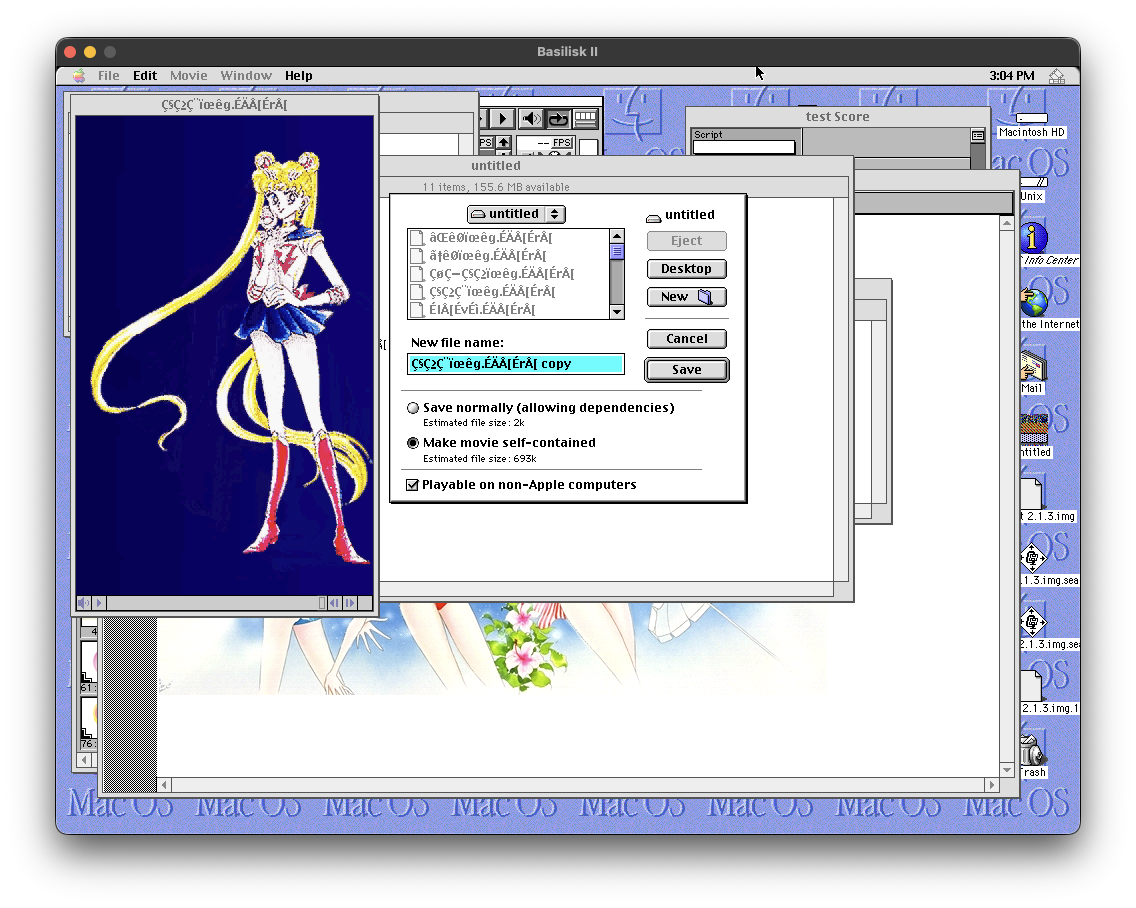
When you save the file, there’s a checkbox to make it playable on non-Apple computers. Mind you, I am using an Apple computer to do all of this work (an M1 Max Mac Studio from 2022), but the operating system then is a completely alien creature to the operating system now so let’s just ignore that.
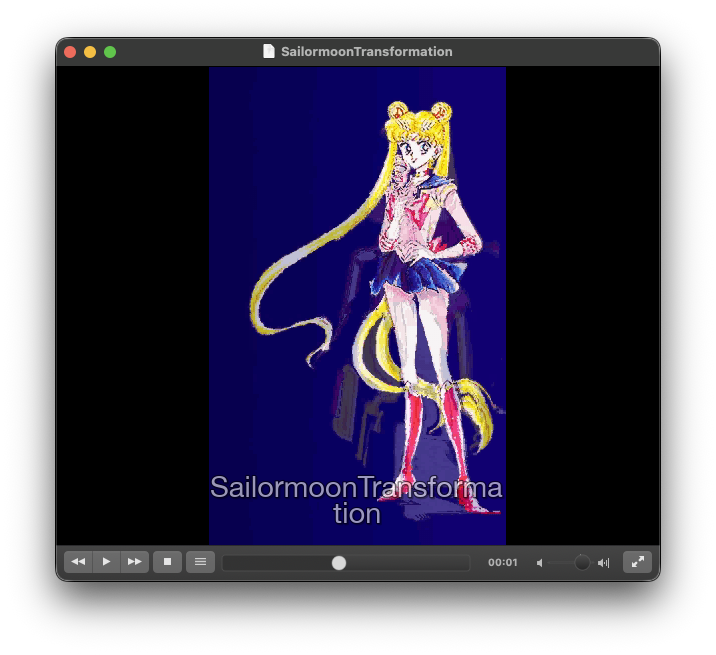
Success! That is the trick as I can now open them in VLC. Just use the old computer to export it into a format that everyone can view. So let’s rename all of the files and then export them all out. I decided to keep an English naming scheme for all of these files since it will be manageable on my end.
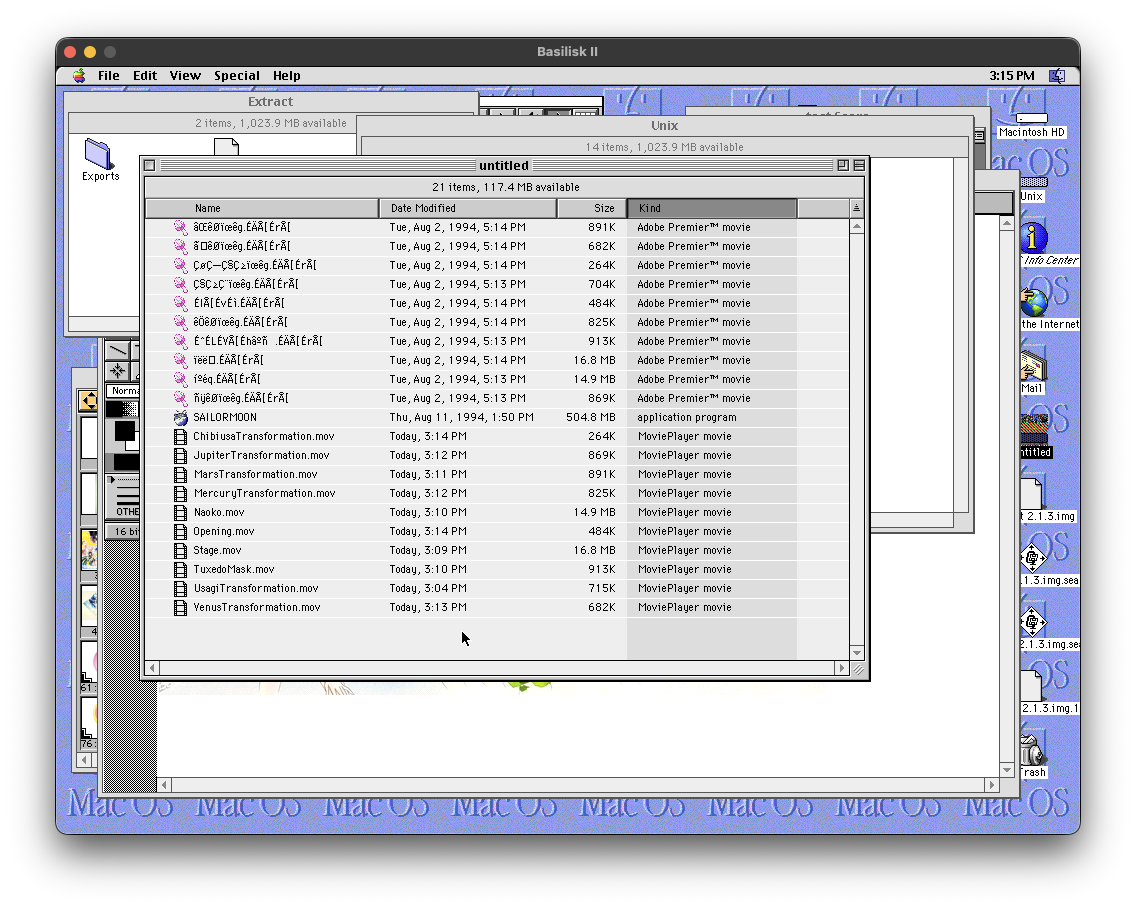
Now let’s read them with FFmpeg and see what we get.
╭─cariad@donnager ~/Local/NewSailormoon
╰─➤  ffmpeg -i Opening.mov
ffmpeg version 8.0.1 Copyright (c) 2000-2025 the FFmpeg developers
  built with Apple clang version 17.0.0 (clang-1700.4.4.1)
  configuration: --prefix=/opt/homebrew/Cellar/ffmpeg/8.0.1 --enable-shared --enable-pthreads --enable-version3 --cc=clang --host-cflags= --host-ldflags= --enable-ffplay --enable-gnutls --enable-gpl --enable-libaom --enable-libaribb24 --enable-libbluray --enable-libdav1d --enable-libharfbuzz --enable-libjxl --enable-libmp3lame --enable-libopus --enable-librav1e --enable-librist --enable-librubberband --enable-libsnappy --enable-libsrt --enable-libssh --enable-libsvtav1 --enable-libtesseract --enable-libtheora --enable-libvidstab --enable-libvmaf --enable-libvorbis --enable-libvpx --enable-libwebp --enable-libx264 --enable-libx265 --enable-libxml2 --enable-libxvid --enable-lzma --enable-libfontconfig --enable-libfreetype --enable-frei0r --enable-libass --enable-libopencore-amrnb --enable-libopencore-amrwb --enable-libopenjpeg --enable-libspeex --enable-libsoxr --enable-libzmq --enable-libzimg --disable-libjack --disable-indev=jack --enable-videotoolbox --enable-audiotoolbox --enable-neon
  libavutil      60.  8.100 / 60.  8.100
  libavcodec     62. 11.100 / 62. 11.100
  libavformat    62.  3.100 / 62.  3.100
  libavdevice    62.  1.100 / 62.  1.100
  libavfilter    11.  4.100 / 11.  4.100
  libswscale      9.  1.100 /  9.  1.100
  libswresample   6.  1.100 /  6.  1.100
Input #0, mov,mp4,m4a,3gp,3g2,mj2, from 'Opening.mov':
  Metadata:
    creation_time   : 2025-12-29T15:14:02.000000Z
  Duration: 00:00:02.67, start: 0.000000, bitrate: 1445 kb/s
  Stream #0:0[0x1](eng): Video: cinepak (cvid / 0x64697663), rgb24, 640x480, 1442 kb/s, 10.50 fps, 30 tbr, 30 tbn (default)
    Metadata:
      creation_time   : 2025-12-29T15:14:02.000000Z
      handler_name    : Apple Video Media Handler
      vendor_id       : appl
      encoder         : Cinepak
Fantastic. We have good ol’ Cinepak here. They’re surprisingly at 480p although at 10-11 frames per second so this is going to be a bit dire. However, let’s convert them all to H.264 for reasons that’ll make sense later.
╭─cariad@donnager ~/Local/NewSailormoon
╰─➤  ls -la
total 106696
drwxr-xr-x@ 24 cariad  staff       768 Dec 29 15:22 .
drwxr-xr-x@ 23 cariad  staff       736 Dec 29 15:08 ..
-rw-r--r--@  1 cariad  staff    254586 Dec 29 15:19 ChibiusaTransformation.mov
-rw-r--r--@  1 cariad  staff    135294 Dec 29 15:22 ChibiusaTransformation.mov.mp4
-rw-r--r--@  1 cariad  staff    875652 Dec 29 15:18 JupiterTransformation.mov
-rw-r--r--@  1 cariad  staff    251332 Dec 29 15:22 JupiterTransformation.mov.mp4
-rw-r--r--@  1 cariad  staff    891752 Dec 29 15:18 MarsTransformation.mov
-rw-r--r--@  1 cariad  staff    292343 Dec 29 15:22 MarsTransformation.mov.mp4
-rw-r--r--@  1 cariad  staff    827380 Dec 29 15:19 MercuryTransformation.mov
-rw-r--r--@  1 cariad  staff    229363 Dec 29 15:22 MercuryTransformation.mov.mp4
-rw-r--r--@  1 cariad  staff  15665124 Dec 29 15:18 Naoko.mov
-rw-r--r--@  1 cariad  staff   4075826 Dec 29 15:22 Naoko.mov.mp4
-rw-r--r--@  1 cariad  staff    481781 Dec 29 15:19 Opening.mov
-rw-r--r--@  1 cariad  staff    178255 Dec 29 15:22 Opening.mov.mp4
-rw-r--r--@  1 cariad  staff    709998 Dec 29 15:04 SailormoonTransformation.mov
-rw-r--r--@  1 cariad  staff    258981 Dec 29 15:22 SailormoonTransformation.mov.mp4
-rw-r--r--@  1 cariad  staff  17630400 Dec 29 15:18 Stage.mov
-rw-r--r--@  1 cariad  staff   7715465 Dec 29 15:22 Stage.mov.mp4
-rw-r--r--@  1 cariad  staff    923519 Dec 29 15:19 TuxedoMask.mov
-rw-r--r--@  1 cariad  staff    382557 Dec 29 15:22 TuxedoMask.mov.mp4
-rw-r--r--@  1 cariad  staff    709998 Dec 29 15:19 UsagiTransformation.mov
-rw-r--r--@  1 cariad  staff    258981 Dec 29 15:22 UsagiTransformation.mov.mp4
-rw-r--r--@  1 cariad  staff    683562 Dec 29 15:19 VenusTransformation.mov
-rw-r--r--@  1 cariad  staff    266030 Dec 29 15:22 VenusTransformation.mov.mp4
Man. Video codecs have come a long way since the 1990s. We’re seeing at least a quarter the size by just converting them to H.264. That said, the emulated Quadra 950 from that time period would be unable to render the frames from the newer video files at any respectable rate.
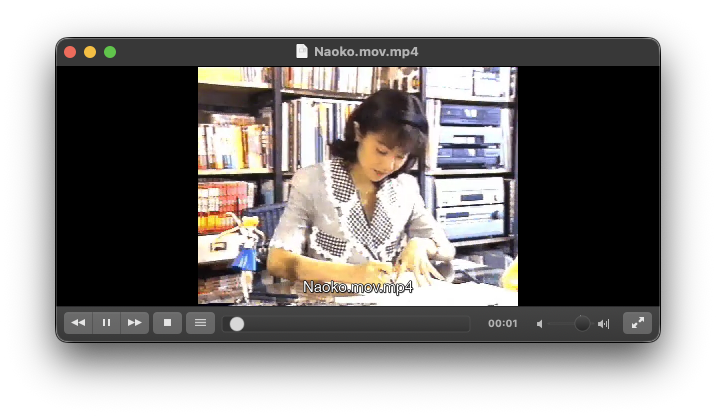
Annoyingly there is a problem with the Naoko.mov file (formerly íºéq.ÉÄÅ[ÉrÅ[) in particular where the audio and video violently corrupts. This issue appears on the original source file and I am uncertain whether it is from attempting to play it or perhaps it is formatted friendlier for Macromedia Director?
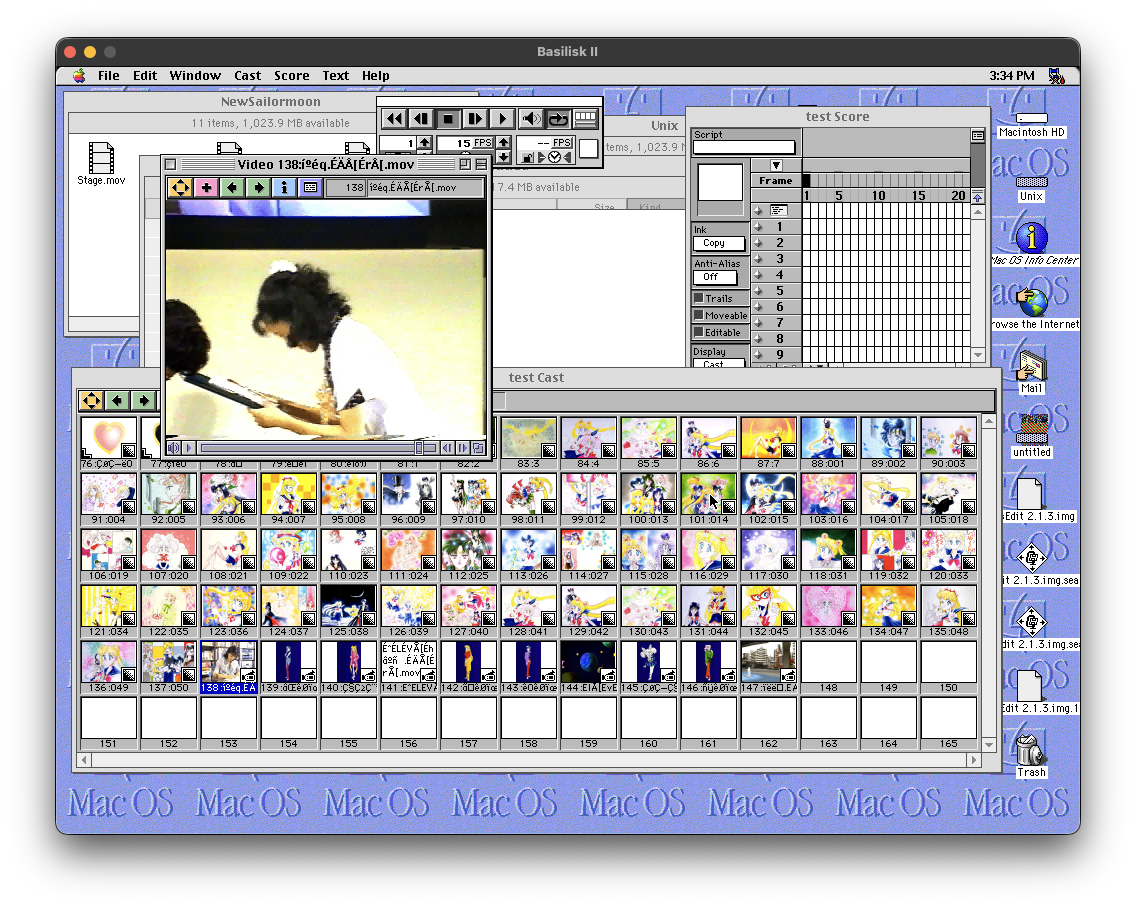
Nope. Same awful problem persists when playing in here too. Does it persist in the actual application?
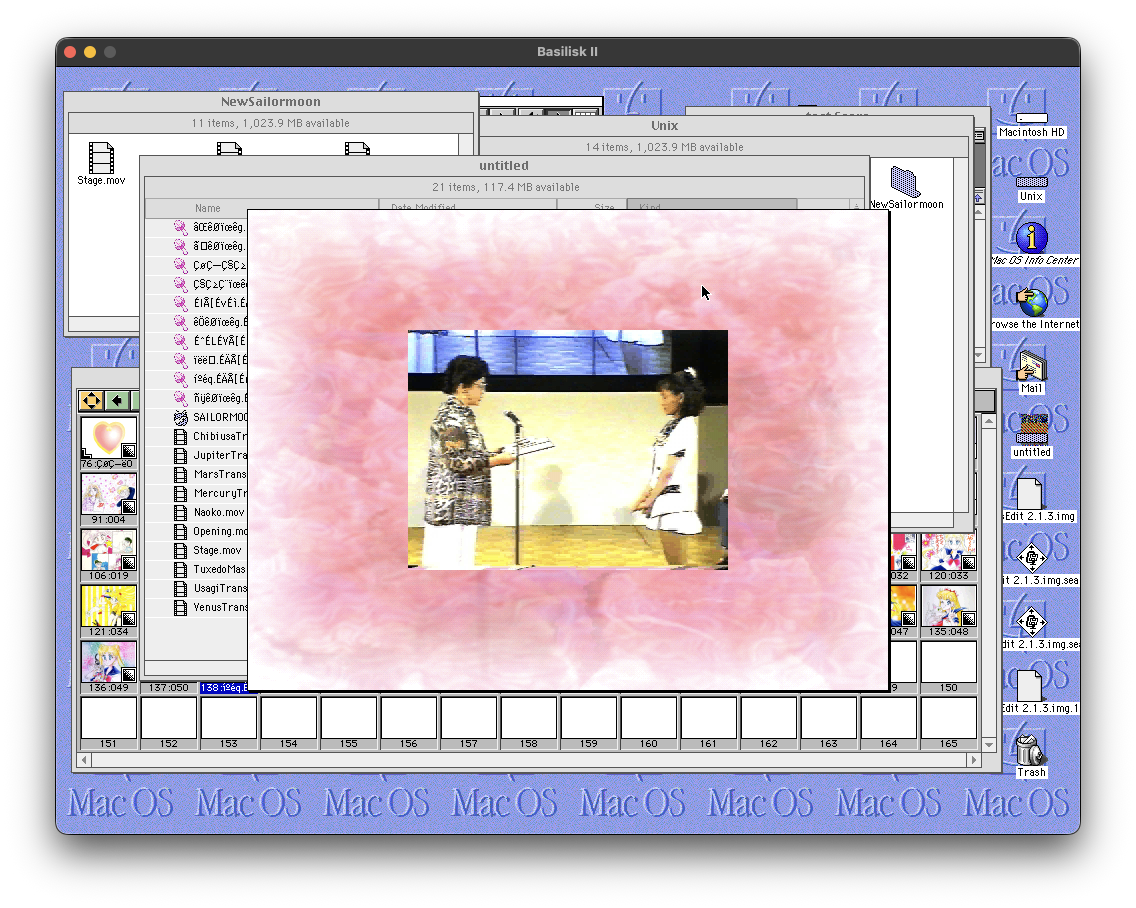
It does. There is a possibility that there is an issue with the original application or it is my copy. This is not my problem to solve it seems!
What next?
Well, I have plans for all of this so stay tuned! Hopefully this doesn’t drop off of my desk!