My first Linux distribution
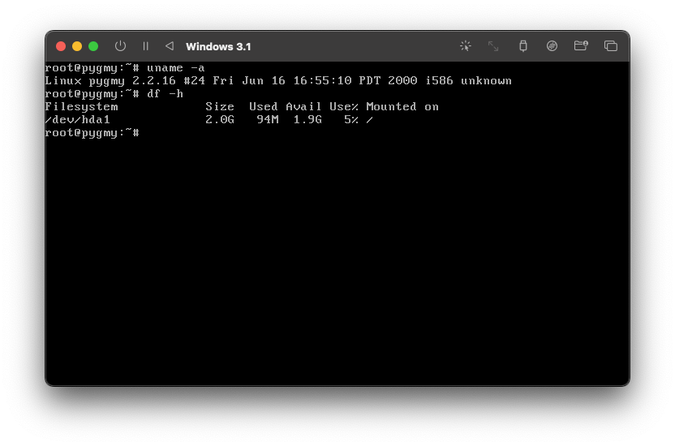
Back in 1999, I was introduced to Linux and really wanted to get my hands on using it at home. I didn’t have a computer of my own at the time, but my parents did have a second computer thanks to my father bringing home a retired 486 PC from his work.
Naturally this was used to allow us to play DOS games whenever he would work on the family PC. Being that I was the one who was actually interested in computers, I spent a lot of time on it and eventually wondered about a way to get Linux on it so I can learn how to use it.
At some point, my mother was nice enough to gift me a book on Linux which brought to my attention the concept of things like UMSDOS and LOADLIN, which were options to then boot a distribution such as Pygmy Linux which is described as follows:
… Pygmy is UMSDOS based… co-exists peacefully with DOS/Win95, 98 on the same partition. …minimal configuration is i486, 8 MB RAM and approximately 25 MB of disk space… internet ready… supports connection via …modem and …LAN… allows installation of Slackware, Redhat and Debian packages.
The idea of doing this now is nightmarish for so many reasons, but back then it was a boon to me because Linux would coexist with Windows without me having to do anything with partitions. Here I had an installation of Linux I could learn on and then if I screwed it up, I could just unzip the original distribution and carry on.
Last week, I was speaking with a friend and I mentioned that Slackware was my first distribution but sort of–I did eventually install a pure distribution of it later on. It got me thinking: whatever happened to Pygmy Linux?
Title: Pygmy Linux
Version: 0.9
Entered-date: 23FEB2001
Description: Pygmy Linux is small distribution of the Linux operating
             system, based on Slackware 7.1. Pygmy use UMSDOS filesystem,
             it allows an user to install a fully functional operating
             system, that co-exists peacefully with DOS/Win9x on the same
             partition. Pygmy is internet ready, it supports connection
             via modem and network card.
Keywords: UMSDOS minilinux
Author: pepso@penguin.cz (Peter Psota)
Maintained-by: pepso@penguin.cz (Peter Psota)
Primary-site: http://pygmy.penguin.cz
              ftp://ftp.penguin.cz/pub/Pygmy
Alternate-site:
Platforms: DOS, Win9x
Copying-policy: GPL
End
It never got much of an update after I stopped using it in favour of Slackware (I later switched to Debian). In October 2002, Pygmy 0.92 was the last version to be released, based on Slackware 7.1.
The author, Peter Psota shut down the website for the project and besides a few websites lingering out there, details and availability of its download was scarce. Heck, even details about the man himself are scarce as it seems that he just disappeared from the Internet completely.
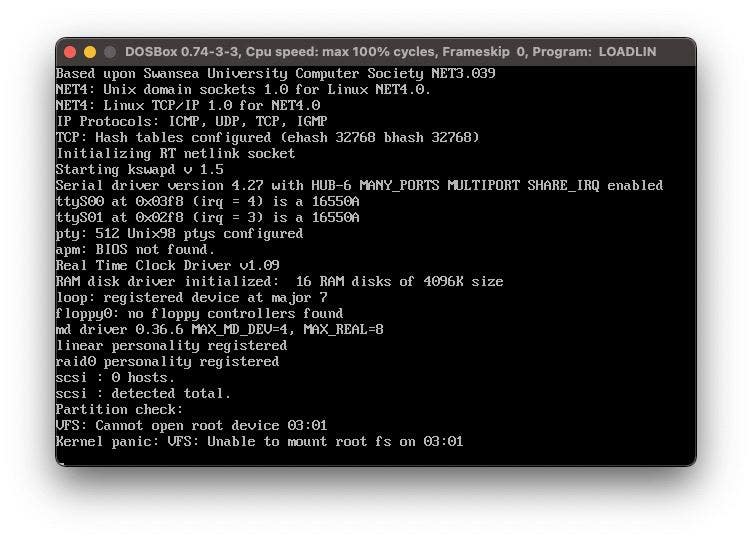
In any event, I decided to see if I could boot it again and the idea came to mind that it might work in DOSBox. I don’t have any 486 PCs kicking about and my main computer has an ARM-based Apple M1 Max (Mac Studio) which is thousands of times faster than the PC I ran Pygmy on in the first place, so emulation it is.
Sadly, no matter what I try, DOSBox and Pygmy cannot get along. I suspect it’s a very simple reason: once you run LOADLIN, a lot of things that make DOSBox seemingly work just won’t with it once gone. Perhaps with some tweaking of the sandbox’s configuration file I would get it to boot, but there are better ways to deal with this.
UTM is a really great implementation of QEMU for Apple Silicon computers. Honestly it’s good enough to use in lieu of VMware Fusion and it boots Windows 11 just great for me. However, what I am glad it does well is enabling relatively simple VMs with custom configurations to be created.
So I created a Pentium-class computer with no USB and a 2 GB IDE drive. Easy to get DOS on to it right? Well, sort of. Here’s a catch: I can get DOS and Windows 3.1 installed just fine using disk images, but how do I get files on to it? macOS hasn’t had useful support for FAT16 since forever so I had to find a way to get data on to the drive.
But of course, the answer was simple: Linux. I can just unzip the contents to the QCOW image for the DOS VM I created in another VM running Linux, which does support FAT16, and then run that QCOW image as a standalone machine. This worked and now I had a login prompt!
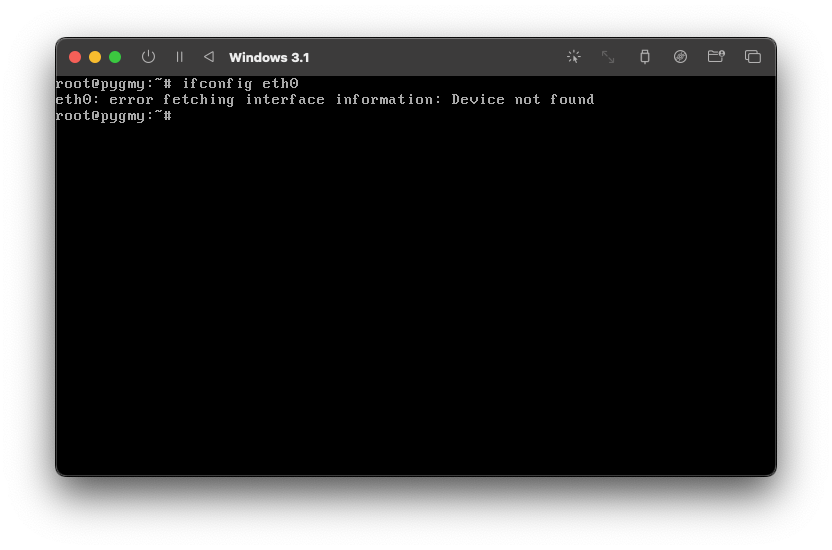
This is a -very- barebones operating system and uses a lot of relics from Linux’s past–think ipchains. But more importantly, I wasn’t sure if I could get it online. It doesn’t want to detect the network card I gave it!
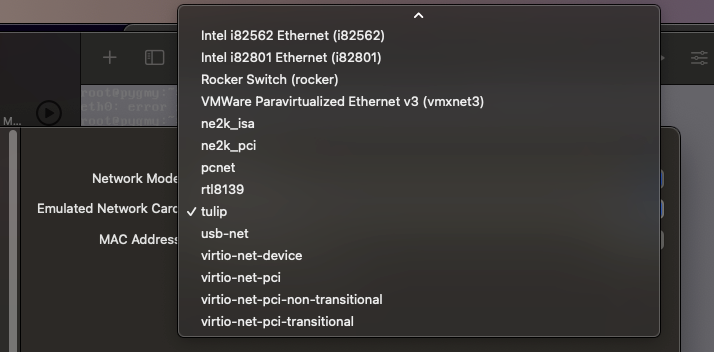
The Tulip option logically would make the most sense, as the RTL8139 might be just too new for this distribution right? But nope. No dice. Neither works. NE2K? No luck there either. It seems that this distribution is destined to be an island. I could probably PPP my way out, but then it occurred to me that I have gotten way too comfortable with things as this is the year 2000 and the idea of plug and play in Linux was out of the question.
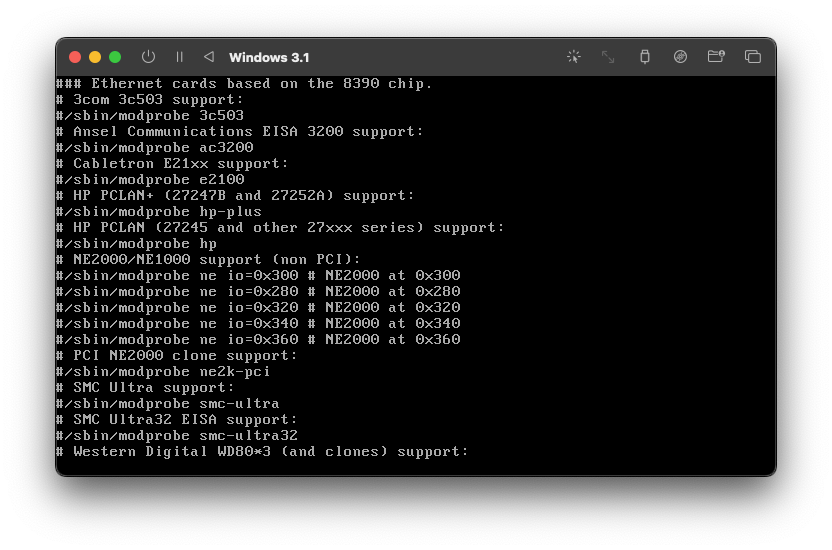
Of course NE2K would be supported and then scrolling past lines telling me that if you use this driver then you should just get a new network card, I see an option for RTL8139 support too. Being that then I actually used a DEC Tulip-based card on that old 486, I opted to enable that card to be supported. I changed the card to be a Tulip and booted it back up–but did it work?
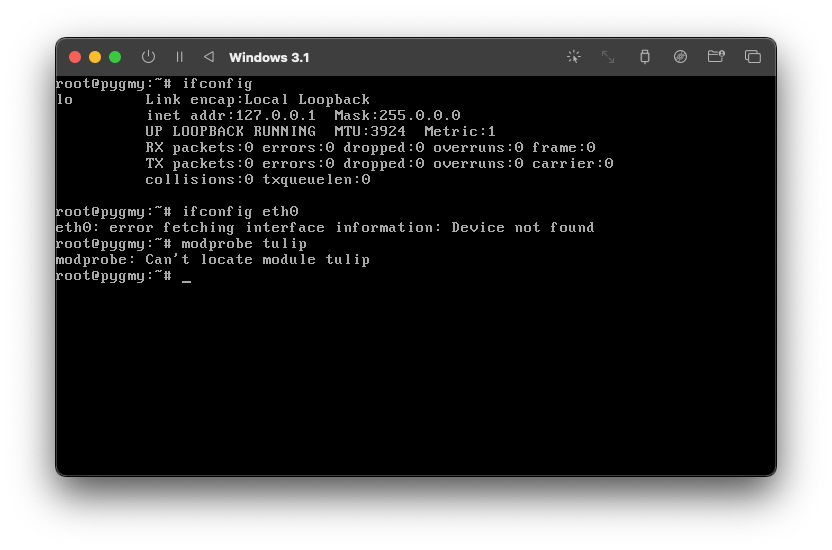
Nope. The module is listed in /etc/rc.d/rc.modules as an option, but it is not actually there. Sigh. What options do I have left?
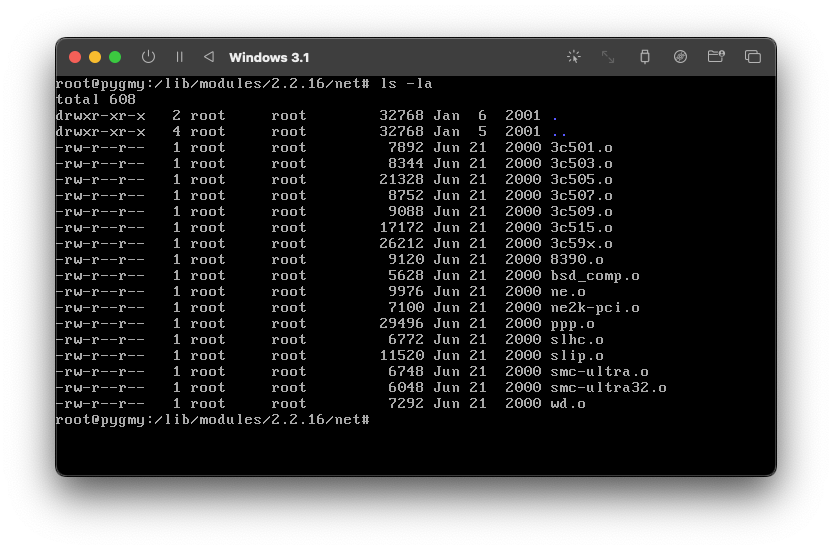
Oh good. NE2000 is an option after all. Thankfully it is an option for QEMU so let’s do this!
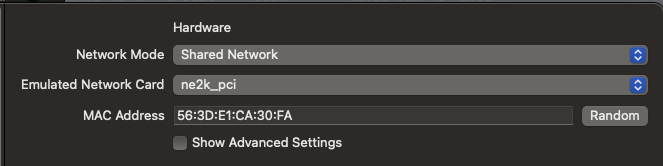
I booted it up and then immediately probed for it. No error. Using ifconfig shows a network device! Hooray! dhclient had a hiccup but it then got an IP address!
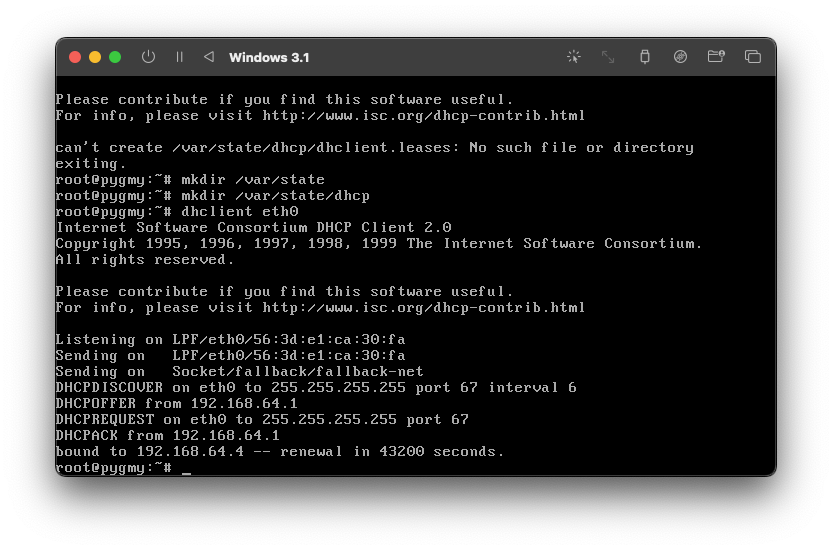
So it has an IP address, but does it mean that it is online?
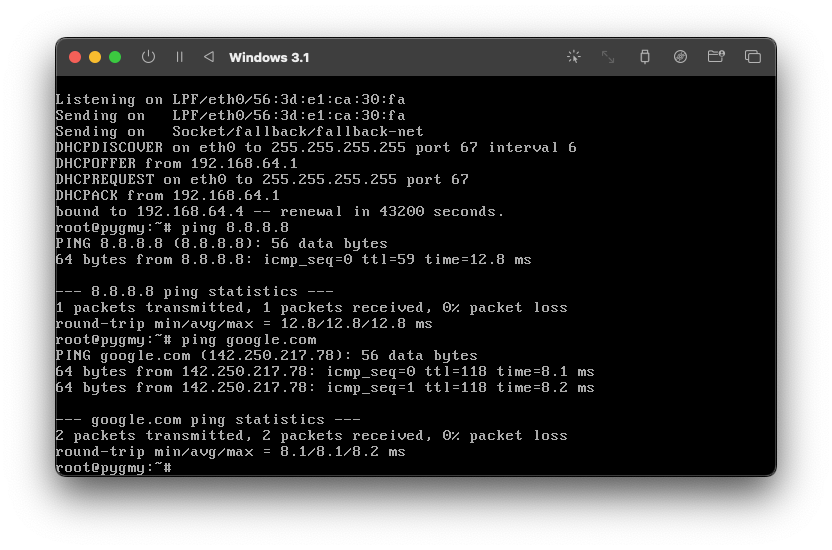
It is! My first Linux distribution running atop of a weird disk configuration is alive and online again! It can even do DNS without any struggle. I added configuration lines to /etc/rc.d and then rebooted the system for it all to stick.
So now that this is Internet-enabled, what is left? Well, sadly there isn’t much else I can do with this distribution as it is a regular CLI Linux that is over two decades old. I tried in vain to find the XFree86 distribution made for it, which literally unzipped itself into the appropriate directly under DOS and just worked.
The original site its download was hosted at has nothing left of the distribution itself and while the Wayback Machine has an archive of it, it does not appear that I can download any files nor find the XFree86 I would need to make this any interesting.
I could go down the rabbit hole of grabbing Slackware packages and installing those once more, but honestly that is a lot of effort for a lark. This is probably as good as this post will get I guess!
If you want to download the 0.9 release, you can grab it here. Maybe if people are interested, I’ll zip up the QCOW and post it on the Internet Archive when I get a chance!